Choosing Thermal Rolls for Receipt Printers: Sizes and Paper
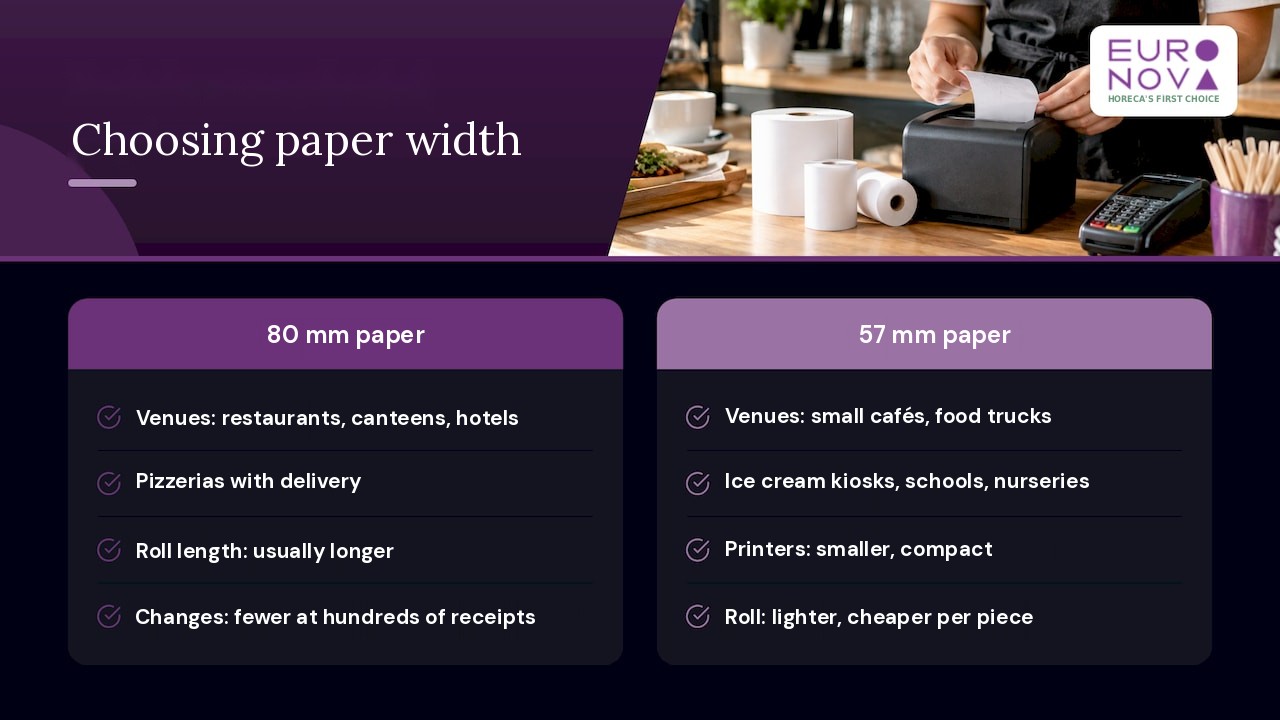
You choose a roll for a till or receipt printer based on three measurements in the device manual: paper width, maximum roll diameter and, on some models, core diameter. Add to that thermal paper that prints legibly and does not damage the print head. In a restaurant, bar or hotel café, a till roll is just as much a consumable as cling film or takeaway packaging. It causes the least trouble when you settle the right size once and order it together with the rest of your supplies, in bulk and from one supplier. Below you will learn how to determine that size, how to read the markings on the packaging and how many rolls to keep in stock. The most reliable source for the size is your model's user manual. The manufacturer specifies the paper width, the maximum roll diameter and sometimes the core dimensions, the cardboard tube the paper is wound on. If you do not have a printed manual, search online for the model name from the rating plate (usually on the underside of the device) plus the word "manual". Manufacturers publish PDF files on their websites. The differences between models are bigger than you might think. A few examples from manufacturers' documentation (these are Polish fiscal printers, but the same logic applies to any receipt printer): The data in the table come from the Posnet Thermal manual, the Posnet Thermal HD start-up guide, the Novitus ONE ONLINE manual and the UPOS-FP20 ONLINE user manual. Two conclusions follow from the table. First, the same 57 mm width does not mean the same roll: you cannot fit a 60 mm diameter roll into a printer with a 40 mm compartment, even though the width matches. Second, on dual-width models the paper is not the whole story. On the Thermal HD, switching to 57 mm paper requires fitting the supplied paper guide and changing the width setting in the menu, as the Posnet Thermal HD 2.02 guide points out. If someone at the venue inserts a narrower roll "just to try" without this change, receipts may print crooked or with text cut off. A second quick method: take out the used roll and measure it before you throw it away. With a ruler you can check the paper width and core diameter. You cannot measure the full diameter of a new roll this way, so always confirm the compartment limit in the manual. Thermal rolls are usually described with two or three numbers. The most common format is width / roll length, for example 80 mm / 60 m or 57 mm / 12 m. Some suppliers give the outer diameter of the roll instead of or alongside the length, and the core diameter in the specification. What each number means for you: A practical rule for purchasing: write three figures on the device record card (width, maximum diameter and, if relevant, core) and compare every offer against them. When a venue runs several models, for example one printer at the bar and another in the hotel restaurant, such a card prevents mistakes with every order. If your printer supports only one width, the choice is simple. The decision comes up with models that accept both, or when you buy a new device. 80 mm paper is the standard in high-volume venues: restaurants, pizzerias with delivery, canteens and hotel bars. The wider printout fits longer menu item names on one line, so the receipt for a table of six is shorter and clearer for the guest. 80 mm rolls also tend to be longer, which means fewer changes during a shift at several hundred receipts a day. 57 mm paper suits compact devices: small cafés, food trucks, ice cream kiosks or sales points in schools and nurseries. Printers for this width are smaller, and the rolls are lighter and cheaper per piece, although you change them more often. If your model supports both widths, do not switch just because the right rolls have run out. Every change requires the paper guide and a menu adjustment, and the setting should match what the service technician configured. It is better to keep stock of the one width your printer is set to. These devices often stand side by side at the bar, and their rolls look similar. They serve different purposes, however. For choosing the paper, it does not matter whether the device is called a till or a printer. The same parameters count: width, diameter and thermal paper quality. Do not assume, though, that a roll from the card terminal fits the receipt printer just because the width is similar. Check the diameter limit in each device's manual. Thermal paper needs no ink. It has a coating that darkens under the heat of the print head. That is convenient, but it puts demands on the paper: the coating must react evenly, the paper must not shed dust, and the printout should stay legible for a long time. Printer manufacturers say so directly. The Posnet Trio Online manual warns that paper not meeting the technical requirements does not guarantee that printed content will be preserved for 5 years, and that paper other than the recommended type can reduce print quality or damage the print head. The Posnet Thermal HD Online manual adds that using paper that does not comply with the manufacturer's requirements can void the device warranty. What this means in a venue: When buying, ask your supplier about the paper specifications and suitability for receipt printers, and buy rolls from an established wholesaler who supplies paper to hospitality venues regularly, not as an afterthought. Even good thermal paper loses quality if stored in the wrong place. And the back of house of a hospitality venue is rarely an ideal store room: close to the oven, the dishwasher, cleaning products and the alcohol behind the bar. In its Thermal printer manual, Posnet gives the conditions under which a printout keeps good quality and legibility for 5 years: a temperature of 18–25 °C, humidity of 40–60%, away from light and heat sources, with no contact with chemicals, alcohol or solvents. It makes sense to apply the same rules to rolls waiting to be used. In practice: The most common "fault" reported by new staff is a blank receipt. The culprit is almost always a roll inserted the wrong way round. Thermal paper only prints on one side; the other does not react to heat. How to get it right: It is worth sticking a small card with a roll-loading diagram next to the printer. In hospitality, where staff turnover is high, that saves a few seconds at every change. Calculate your stock from daily consumption. The simplest way is to check how many days one roll lasts in your venue: for a week or two, note the date each new roll goes in and the date it runs out. An example: if one 80 mm / 60 m roll lasts about two working days in a restaurant, you use around 15 rolls a month. If you order once a month, it is good to keep stock for two periods, around 30 rolls, so that a long weekend, a company party or the terrace season does not end with an empty printer on a Saturday night. In hotels, canteens and institutions such as schools or care homes, where there are several devices, calculate stock separately for each width. Ordering rolls together with your other disposables, such as packaging, film or food paper, simplifies logistics: one delivery, one invoice, one date in the purchasing calendar. At Euronova we list printer rolls in the disposables category, alongside takeaway packaging, cling film and food paper: food film and paper, thermal rolls. That way you can top up receipt paper in the same order as your other kitchen and dining room supplies, at wholesale prices. For printers that use wide paper we stock the 80 mm / 60 m thermal receipt roll, and for compact devices the 57 mm / 12 m thermal receipt roll. Before ordering, compare the dimensions with the diameter limit in your printer's manual. While you are at it, take a look at our paper takeaway packaging, which usually runs out at the same pace as till rolls. A till roll seems like a trifle until it runs out at eight o'clock on a Friday evening. Then it turns out to be one of the most important supplies in the venue, because without a receipt you cannot close a table. That is why we advise treating receipt paper like any other hospitality consumable: settle the right size once, note it on the device record card and order regularly, together with packaging, film and your other supplies. Buying in one place at wholesale prices saves time, which is always in short supply in a venue. We supply venues that are just opening as well as businesses with many years of experience, and we keep adapting our range to what hospitality needs. Thermal rolls are part of it so that the printer at the bar is the last thing you have to worry about. Rok One whose width matches the printer setting (usually 57 mm or 80 mm) and whose diameter does not exceed the compartment limit in the manual. If the manufacturer specifies a core size, that must match too. You will find the data in the model's user manual, usually in the section on paper or technical specifications. Only if the model supports both widths. On such printers, for example the Posnet Thermal HD, you need to fit the paper guide and change the width setting in the menu. In a printer designed for 80 mm only, a narrower roll will not be guided correctly. Most often the roll is inserted the wrong way round and the print head is heating the side that does not react to heat. Turn the roll over as shown in the manual and print a test page. If the problem persists, contact the till or printer service provider. Not necessarily, as long as the roll fits within the maximum compartment diameter. A longer roll means fewer changes but also a thicker roll, so always check the diameter limit.
In short
Contents
Start with the printer manual, not the roll packaging
Printer model Paper width Max. roll diameter Other requirements Posnet Thermal (older generation) 57 mm 60 mm recommended roll length 30 m Posnet Thermal HD 57 mm or 80 mm see manual for 57 mm: paper guide and menu setting change Novitus ONE ONLINE 57 mm 40 mm none UPOS-FP20 ONLINE 80 mm 83 mm core: 12 mm inside, 18 mm outside 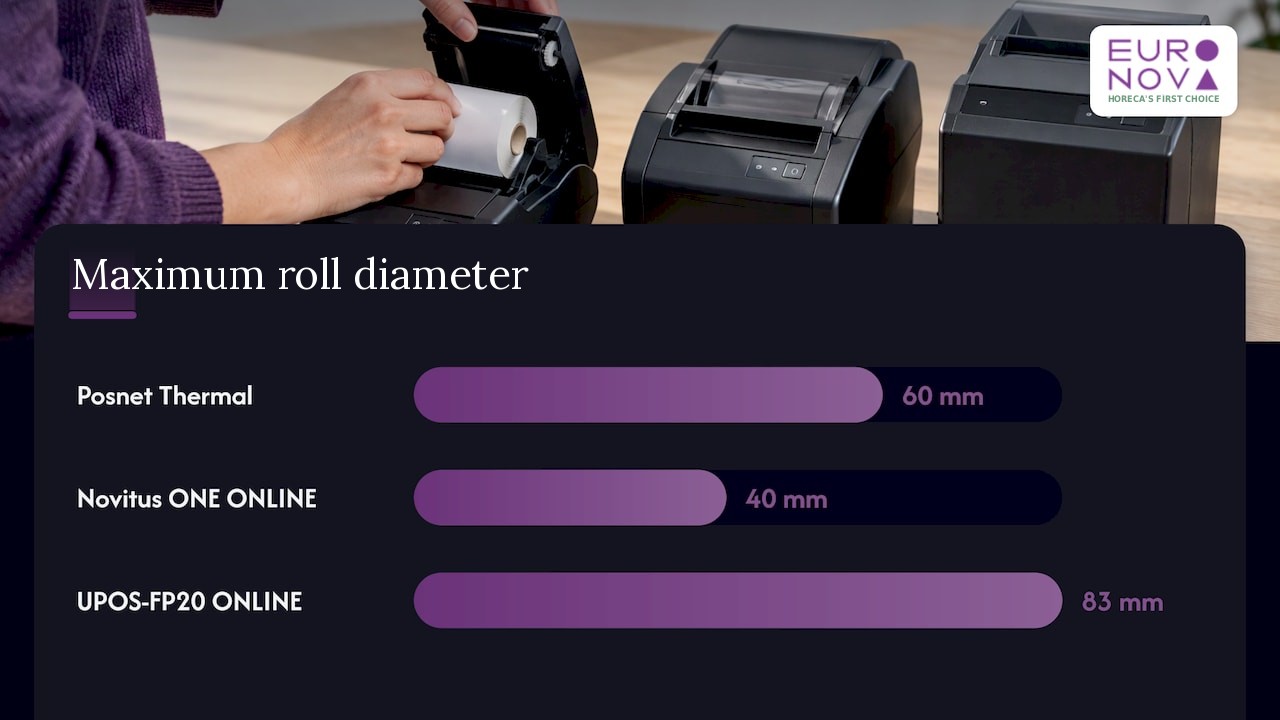
How to read the dimensions on the roll packaging
57 or 80 mm: which width for a hospitality venue
Till, receipt printer and card terminal
Paper quality: legibility, durability and the print head
Storing your roll stock
Inserting the roll correctly
How many rolls to order
Thermal rolls in the Euronova range
Our view on till rolls
Frequently asked questions
Which roll fits my receipt printer?
Can I put a 57 mm roll in a printer for 80 mm paper?
Why does the receipt come out blank?
Does the roll length have to match the manual?
Sources